
How to Create Podcast Episodes with AI
Sometimes you have a brilliant idea for a show, but the thought of expensive microphones, complex editing software, and finding a quiet room to record feels overwhelming. Learning how to create podcast episodes with AI comes in handy here.
Instead of worrying about your voice sounding perfect or spending hours editing out “ums” and “ahs,” you can now let technology do the heavy lifting. We will know exactly how to launch your own show in this article.
There are a few more things to consider, like how consistent you can be when you don’t have to spend a whole day recording one episode. Using a tool like ChatQuick changes the entire podcasting landscape, making it accessible to everyone.
In this article, we will be exploring why AI is the future of podcasting and the exact steps to create your episodes with ease.
The Importance of Using AI for Podcasting
Why should you use AI to create your podcast? The traditional way of podcasting is great, but it requires a lot of time, money, and technical skill. AI levels the playing field for everyone. Here are a few reasons why it’s a game-changer:
1. Professional Quality for Everyone:
You don’t need a $500 microphone to sound professional. AI-generated voices are now lifelike, clear, and engaging.
2. Massive Time Savings:
What used to take a full weekend of recording and editing can now be done in the time it takes to drink a cup of coffee.
3. Consistency is Key:
The hardest part of podcasting is sticking to a schedule. With ChatQuick, you can generate a month’s worth of episodes in one afternoon.
4. Global Reach:
Some AI tools allow you to easily translate or adjust your content for different audiences, ensuring your message travels further.
How to Create Your Podcast with ChatQuick
Creating your first episode is a simple, stress-free process. You don’t need any recording gear—just your ideas and a few clicks:
1. Login to the Platform:
Visit the ChatQuick website and log in to your dashboard or sign up if you haven’t signed in before

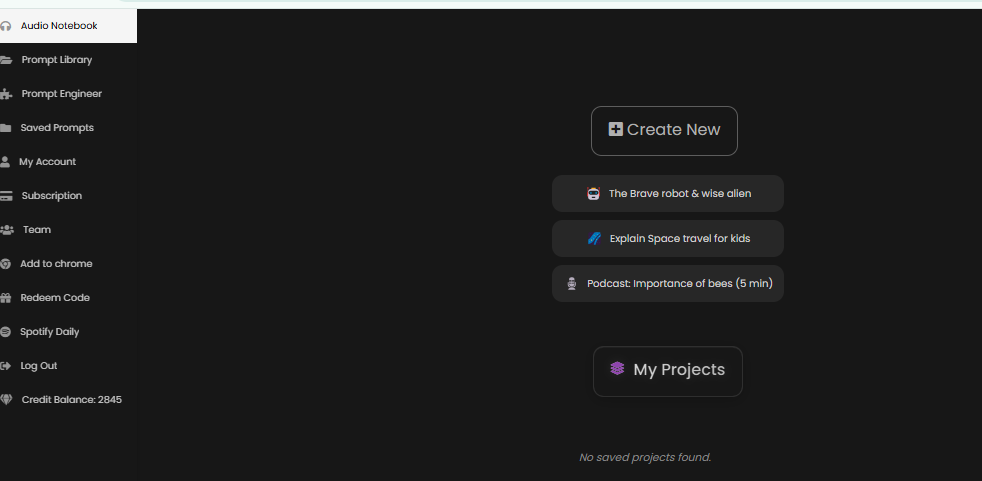
2. Access the Audio Notebook:
Once you are on the dashboard, navigate to the Audio Notebook section. This is your personal recording studio powered by AI.
3. Select Your Tool:
Look for the Tool button. Click on it to see your options.
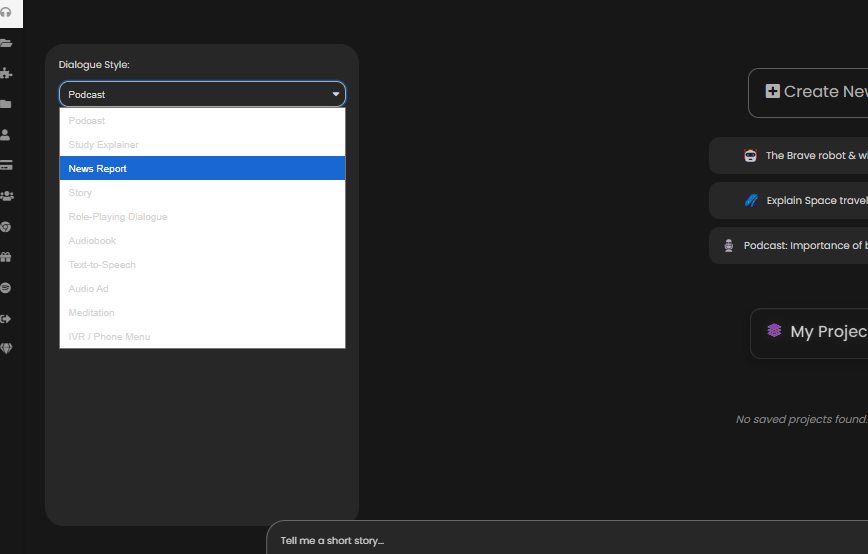
4. Choose Your Conversion Type:
Since you are making a podcast, pick the podcast tool. Select what you want to convert your text to.
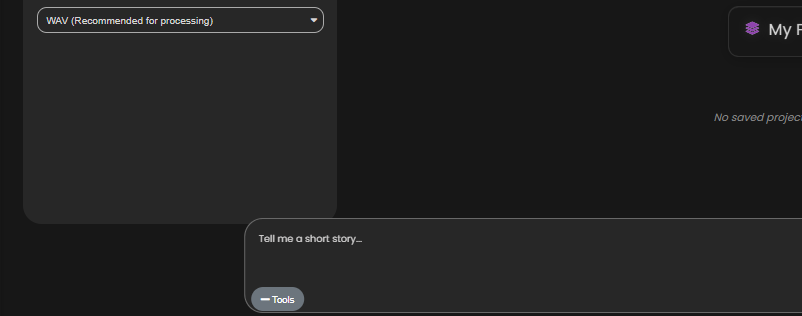
5. Enter Your Prompt and Send:
Paste your podcast script or your detailed notes into the prompt space. When you are ready, press Send.
6. Generate Your Episode: In just a few minutes, the AI will generate your high-quality audio. You can listen to it immediately to make sure it’s exactly what you wanted.
Conclusion
Creating a podcast doesn’t have to be a technical nightmare anymore. ChatQuick is so so so powerful because it allows you to focus on your message while the AI handles the sound. You can go from a blank page to a professional-sounding episode without ever picking up a microphone.
By using ChatQuick, you ensure that your voice is heard across all platforms, helping you grow your brand and connect with your audience effortlessly.
Are you ready to start your podcasting journey? Log in to ChatQuick today and turn your first script into a masterpiece!
