
How to Engineer Effective AI Prompts
Most times you talk to an AI, and it just doesn’t seem to “get” what you’re asking for. You might feel frustrated because the output sounds generic or misses the point entirely; learning how to engineer effective AI prompts comes in handy here.
Instead of just typing a basic sentence and hoping for the best, prompt engineering is the art of giving the AI clear, specific instructions so it delivers exactly what you need. We will know how to master this skill in this article.
There are a few more things to consider, like how much time you save when you get the right answer on the first try instead of re-typing your request ten times.
Using a tool like ChatQuick makes this process even more powerful because it gives you the space to build, test, and save your best prompts. In this article, we will be exploring the core principles of great prompts and a simple way to create your own custom templates.
The Importance of Good Prompt Engineering
Why does the way you write a prompt matter so much? Think of an AI like a very talented assistant who has never met you before. If you just say “write a story,” they don’t know if you want a horror story, a children’s book, or a business case study.
- Good prompt engineering is important because:
- It Eliminates Guesswork: When you are specific, the AI doesn’t have to “fill in the blanks” with its own assumptions.
- It Saves Credits and Time: Getting a high-quality result immediately means you aren’t wasting time regenerating content.
- It Unlocks Better Creativity: The more context you give, the more unique and tailored the AI’s response becomes.
- It Ensures Consistency: If you find a “recipe” for a prompt that works, you can use it every single time to get the same great quality.
How to Create Effective AI Prompts with ChatQuick
If you want to become a prompt pro, ChatQuick provides the perfect environment to build and refine your instructions. It isn’t just a chat box; it’s a creative workshop. Here is the best way to engineer your prompts using the platform:
1. Login to Your Account
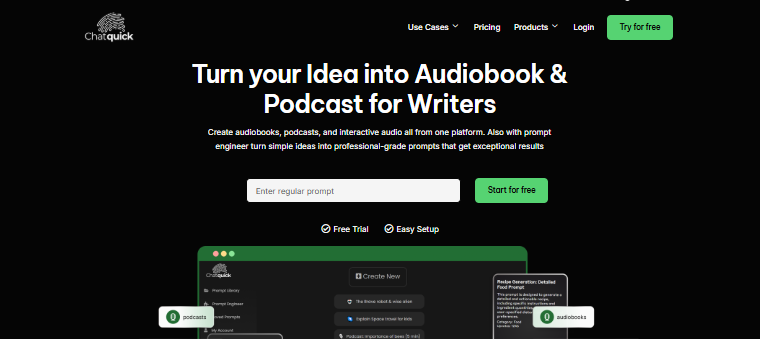
The first step is to access the platform. Simply visit the ChatQuick website and login with your credentials. If you don’t have an account yet, you can sign up in seconds.
2. Check for Existing Templates
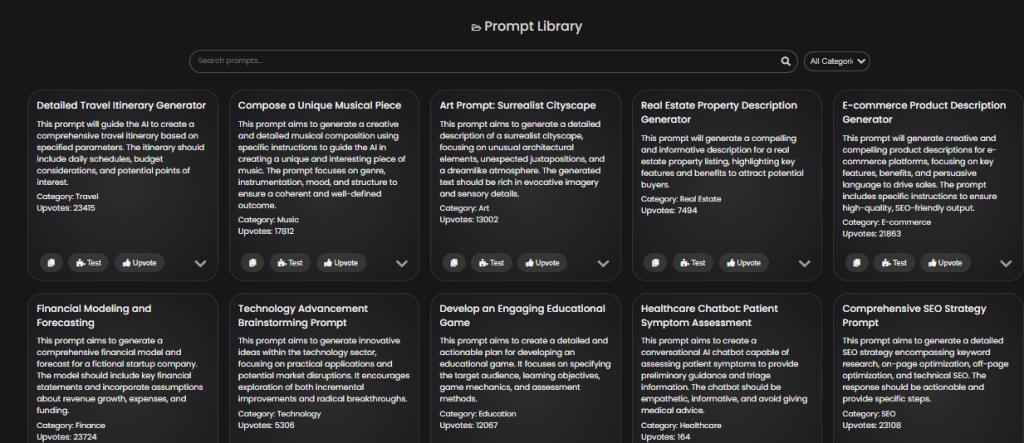
Before you start from scratch, always look at the Prompt Library section in your dashboard. ChatQuick has a library of pre-made prompts designed for common tasks like blog writing, social media, or study notes. If you find one that fits, you’ve already saved yourself the work!
3. Use the Audio Notebook to Build Custom Prompts
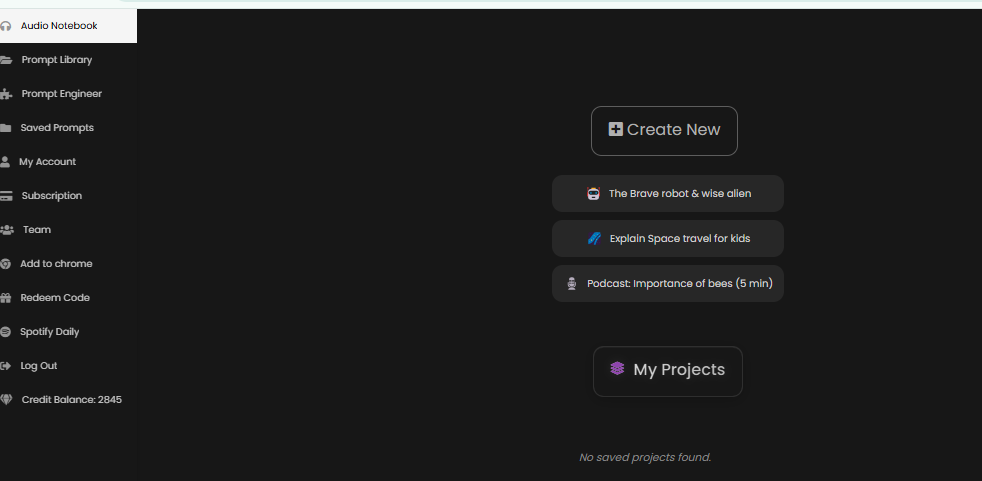
If you can’t find exactly what you need in the templates, you can create your own “Custom Prompt Template” using the Audio Notebook (or Audio Book Note) feature.
- The Strategy: Use this space to write out a detailed set of rules for the AI. Tell it who it should “act” as (e.g., “Act as an expert nutritionist”), what the goal is, and what tone it should use. By writing this in your notes, you have a permanent record of your best prompt ideas.
4. Test and Tweak
Once you have your custom prompt ready, use the Test Feature to see it in action.
Don’t settle for the first result! If the AI is too wordy, add “Keep it concise” to your prompt. If it’s too formal, add “Use a friendly, conversational tone.”
Keep tweaking and testing until you get your desired prompt. Once it’s perfect, you can save it and use it whenever you need to generate top-tier content.
Conclusion
Mastering prompt engineering is the key to unlocking the full potential of AI. ChatQuick is useful because it doesn’t just give you an AI; it gives you the tools to train that AI to work exactly how you want.
By starting with the login and moving through templates to custom notes, you move from being a casual user to a power user. Stop settling for “okay” results and start engineering prompts that actually work!
