
Art Prompt Generator: How to & Examples
Look, if you’ve ever stared at a blank canvas (digital or physical) with absolutely no clue what to create, you’re not alone. That’s where art prompt generators come in handy.
Think of these tools as your creative jumpstart. They throw out random combinations of subjects, styles, moods, and settings that you might never have thought to put together on your own. Sometimes the prompts are brilliant. Sometimes they’re weird. But that’s kind of the point—they push you out of your comfort zone.
What Is an Art Prompt Generator?
An Art Prompt Generator is a creative tool that automatically produces unique art ideas or concepts to inspire artists, designers, and creators. It helps overcome creative blocks by suggesting themes, characters, moods, or settings that can be used for digital art, illustrations, or AI image generation.
WordWriter actually has its own art prompt generator that’s worth checking out. It’s straightforward to use and produces solid prompts whether you’re working with traditional media or AI art tools. This post walks you through exactly how to use it, step by step, and includes real examples of the kinds of prompts you can generate.
How to Use an Art Prompt Generator
Getting started is pretty straightforward. Here’s what you need to do:
Step 1: Head to the ChatQuick Website

First, navigate to the ChatQuick website where you can either log in if you already have an account, or try it for free if you’re new.
Step 2: Find the AI Prompt Library
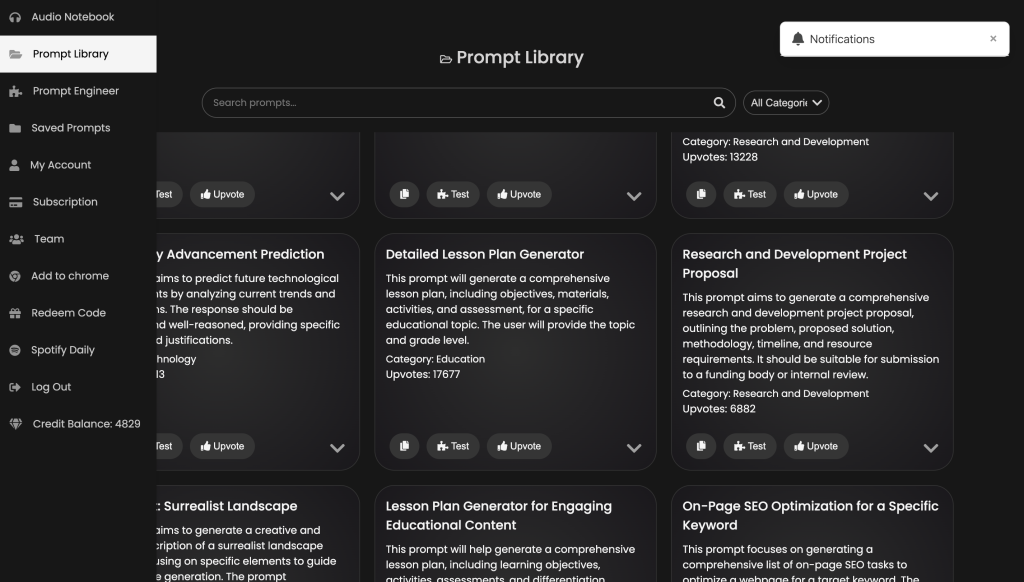
Once you’re on the AI dashboard, look at the top left corner of your screen. You’ll see an option called “AI Prompt Library”—click on that. This library is packed with all kinds of generators for different purposes.
Step 3: Search for the Art Prompt Generator
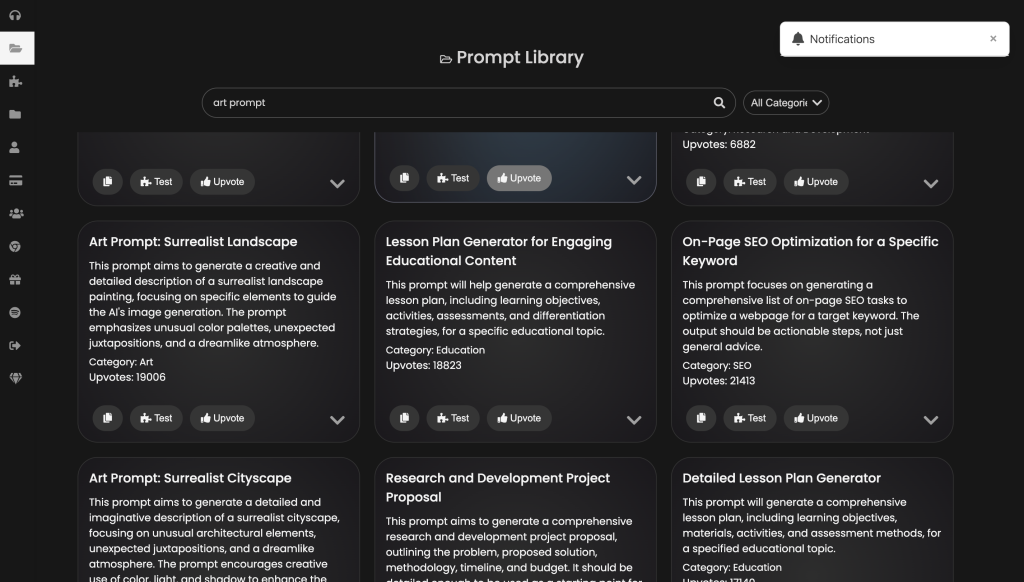
Inside the library, use the search function to find the art prompt generator. It should pop up pretty quickly.
Step 4: Use the Ready-Made Prompt
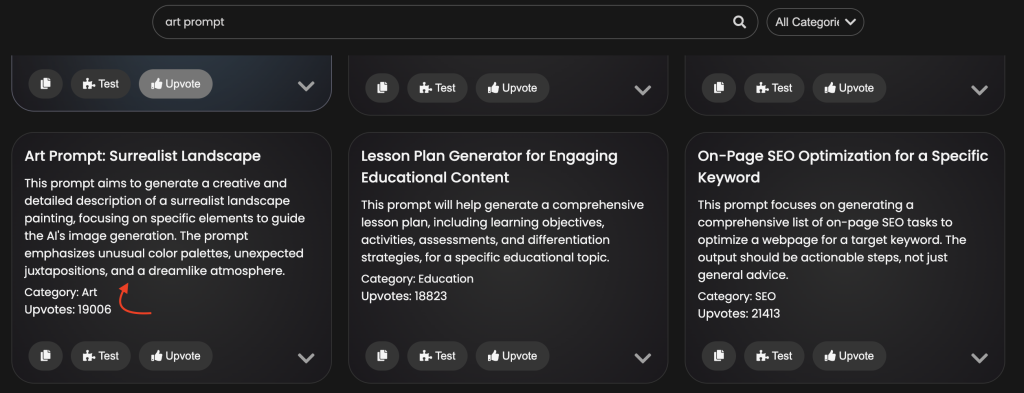
You’ll notice there’s already a ready-made prompt available. You’ve got two options here:
- Copy and paste it directly into your AI art tool (like Midjourney, DALL-E, Stable Diffusion, etc.)
- Test it right there in the art prompt generator tool to see what kind of prompt you get
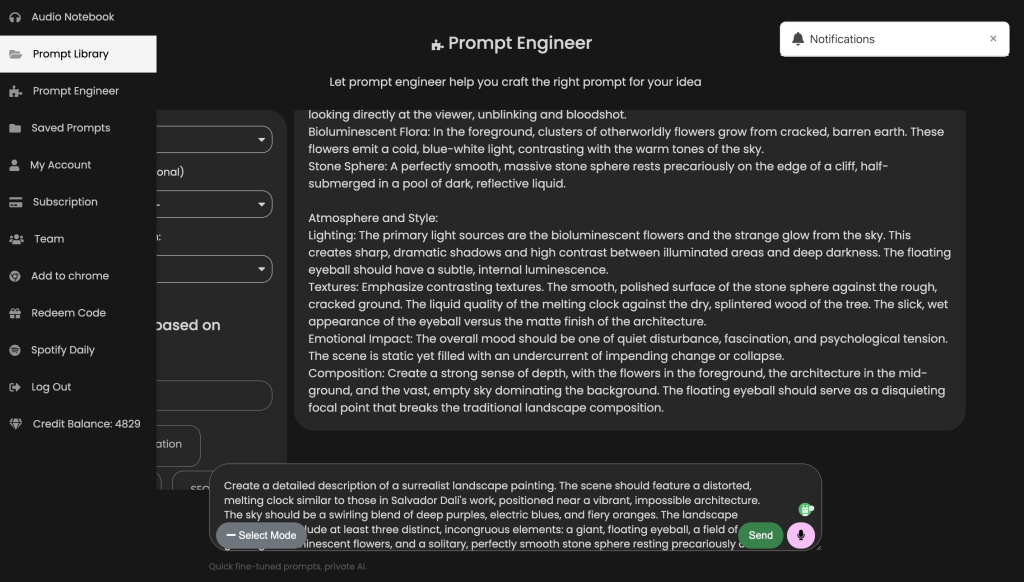
Step 5: Customize with the AI Prompt Engineer (Optional)
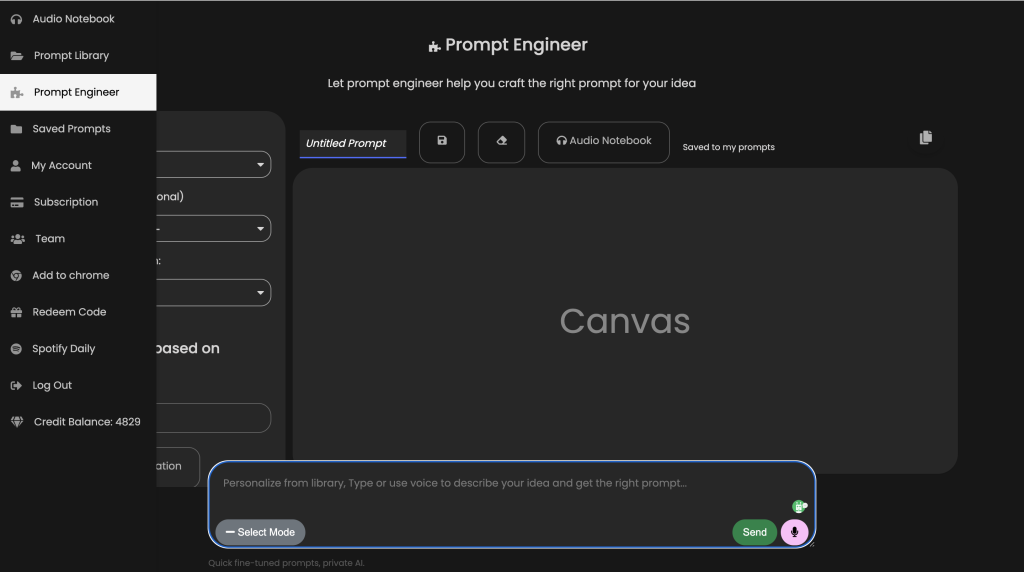
Want something more specific? Navigate to the AI Prompt Engineer section. Here’s where things get flexible—you can make a request for exactly the type of prompt you’re looking for.
Maybe you want prompts focused on watercolor landscapes, cyberpunk characters, or abstract expressionism. Whatever it is, you can tweak and refine the prompt until it matches your vision perfectly.
Art Prompt Example
“Create a detailed description of a surrealist landscape painting. The scene should feature a distorted, melting clock similar to those in Salvador Dali’s work, positioned near a vibrant, impossible architecture. The sky should be a swirling blend of deep purples, electric blues, and fiery oranges. The landscape itself should include at least three distinct, incongruous elements: a giant, floating eyeball, a field of glowing, bioluminescent flowers, and a solitary, perfectly smooth stone sphere resting precariously on a cliff edge. The overall mood should be dreamlike and slightly unsettling, with a focus on sharp contrasts in color and form. Describe the lighting, textures, and the overall emotional impact of the scene.”
“Create a detailed description of a surrealist cityscape. Focus on at least three unusual architectural elements that defy gravity or logic. Describe the city’s atmosphere, including the lighting, color palette, and overall mood. Include at least two unexpected juxtapositions (e.g., a clock tower growing out of a giant mushroom, a river of flowing mercury). Use vivid language and imagery to create a dreamlike and captivating scene. The final description should be at least 500 words and evoke a strong sense of wonder and mystery.”
Conclusion
The WordWriter art prompt generator takes the guesswork out of finding inspiration and gives you concrete ideas to work with in seconds. Whether you use the ready-made prompts as they are or customize them to fit your specific style, you’ve got a tool that adapts to however you like to create.
The key is to experiment. Try prompts that sound interesting, ignore the ones that don’t click, and don’t be afraid to mix things up. Some of your best work might come from prompts that initially seemed a little odd or outside your usual comfort zone.
So go ahead and give it a shot. Your next creative breakthrough might just be one prompt away.
