
Prompt for AI Video generator: How to & Examples
Imagine you’re ready to create a stunning video, but the blank prompt box of the AI generator is staring back at you, demanding creative genius. Getting a truly great AI video requires a great prompt, one that captures your vision perfectly, right down to the camera angle and lighting. Too vague, and the result is chaos. Too specific in the wrong areas, and the result is rigid and uninspired. Prompt engineering, the art of crafting these precise instructions, can be complex and time-consuming.
That’s why the ChatQuick Prompt Engineer can come to the rescue. This dedicated tool is designed to eliminate guesswork, transforming your initial, rough concept into a highly effective, production-ready script.
By structuring your inputs around key creative parameters, we guarantee a high-quality, targeted video output that saves you valuable time and maximizes the potential of any AI video generation tool you use. Let’s dive in.
What is Prompt for AI Video generator?
An AI prompt is more than just a description; it is the detailed text instruction you provide to a generative Artificial Intelligence model. It acts as the creative blueprint, dictating every necessary visual and technical element. The quality of your prompt directly determines the quality, relevance, and fidelity of the video generated.
An effective video prompt typically contains these core components:
- Subject and Action: Clearly defining who or what is in the scene, and what they are doing. (e.g., “A sleek black drone flies over a canyon.”)
- Setting and Environment: Establishing the location, time of day, and atmosphere. (e.g., “…at sunset, with golden dust particles in the air.”)
- Style and Aesthetics: Specifying the visual language, such as artistic medium, mood, and texture. (e.g., “…rendered in a futuristic, cinematic 8K style.”)
- Technical Parameters (Crucial for Video): Instructions related to filming, which tell the AI about the video structure. This includes elements like camera movement (e.g., dolly zoom, slow pan), lighting (e.g., volumetric light, soft box lighting), and aspect ratio.
By structuring these components, the ChatQuick Prompt Engineer ensures that no critical instruction is left out, moving you from a simple idea to a complex, actionable script instantly.
The ChatQuick Prompt Engineer Methodology
The ChatQuick Prompt Engineer is built on the principle of guided generation. Instead of expecting users to memorize technical keywords or artistic styles, the platform breaks down the prompt creation process into manageable, high-impact choices.
This approach ensures the final output is robust enough for advanced AI models while remaining intuitive for every user. Our philosophy is that a structured input yields a superior and more predictable output. We focus on injecting context, style, and tone to layer your simple input into a professional-grade prompt.
How to Generate a Prompt with ChatQuick
The ChatQuick platform simplifies the process of creating complex, effective video prompts through a five-step, guided workflow. Follow these steps precisely within the “Prompt Engineer” feature:
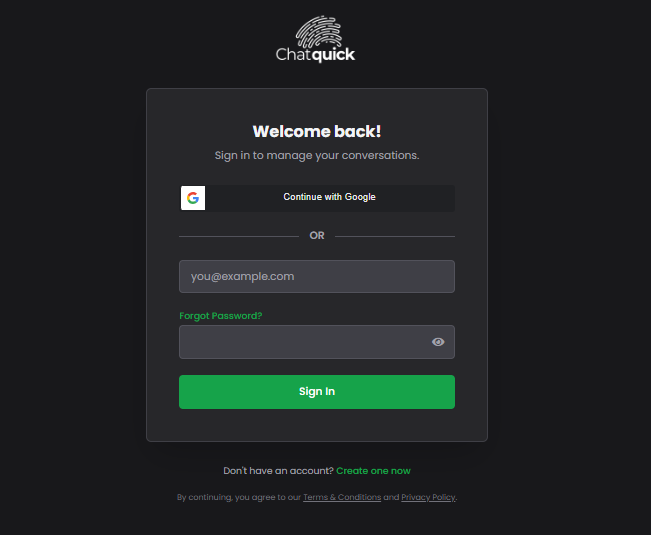
1. Login to ChatQuick
Access your ChatQuick account using your established credentials on the platform’s secure login page. Ensure you are signed in to access the specialized AI tools.
2. Go to Prompt Engineer
Navigate to the dedicated “Prompt Engineer“ section. This is typically located in the main navigation bar or on the primary dashboard.

3. Enter Your Prompt Details (The Core Idea)
Input your initial, rough idea in the main text box. This is where you convey the fundamental concept of your video.
Think about the core subject and desired action. Avoid technical jargon here; focus on the narrative.
- Good Initial Idea: “A chef demonstrating how to slice vegetables perfectly.”
- Bad Initial Idea (Too Vague): “Food video.”
- Good Initial Idea: “A group of friends laughing around a campfire at night.”
- Bad Initial Idea (Too Vague): “People outside.”
The Prompt Engineer will take this simple concept and build a detailed descriptive paragraph around it, but its effectiveness depends on your initial clarity.
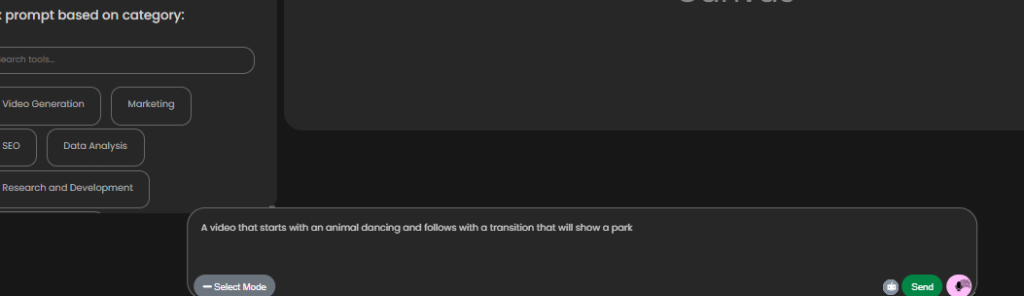
4. Select Mode for Tone, Category, and Language (The Refinement Layers)
This is the critical stage where you add the necessary context for the AI to understand the purpose and feel of the video. These selections significantly influence the descriptive keywords added to your final prompt.
A. Tone Selection
The Tone defines the emotional and atmospheric quality of the video.
- Excited/High-Energy: Adds keywords related to fast-paced edits, bright saturation, dynamic camera movement (e.g., action camera, quick cuts, high contrast).
- Informative/Educational: Focuses on clarity, stable camera work, and detailed subject focus (e.g., clean background, macro shots, steady tripod footage).
- Professional/Corporate: Uses terms for polished, sleek visuals (e.g., cinematic lighting, shallow depth of field, minimalist composition).
- Mysterious/Dramatic: Incorporates low-key lighting, shadows, and slow movement (e.g., chiaroscuro, deep shadows, fog machine effect).
B. Category Selection
The Category dictates the functional requirements and typical aesthetic associated with the content type.
- Product Demo: Emphasizes close-ups, clean presentations, and high resolution to highlight product features. The prompt will include words like close-up, unboxing, detail shot, pristine background.
- Social Media Ad (Short-Form): Prioritizes engagement and speed. The prompt will request formats like vertical 9:16 aspect ratio, punchy transitions, vibrant colors.
- Educational Lecture: Focuses on clear visuals, graphic overlays, and steady, wide compositions to ensure the viewer can absorb information without distraction.
- Narrative Short: Encourages cinematic storytelling and complex composition. The prompt will include technical terms like rule of thirds, leading lines, long take.
C. Language Selection
This determines the language of the final, generated prompt text. While the underlying AI model can interpret multiple languages, this ensures the output is delivered in a language that is easy for you to review, refine, and copy.
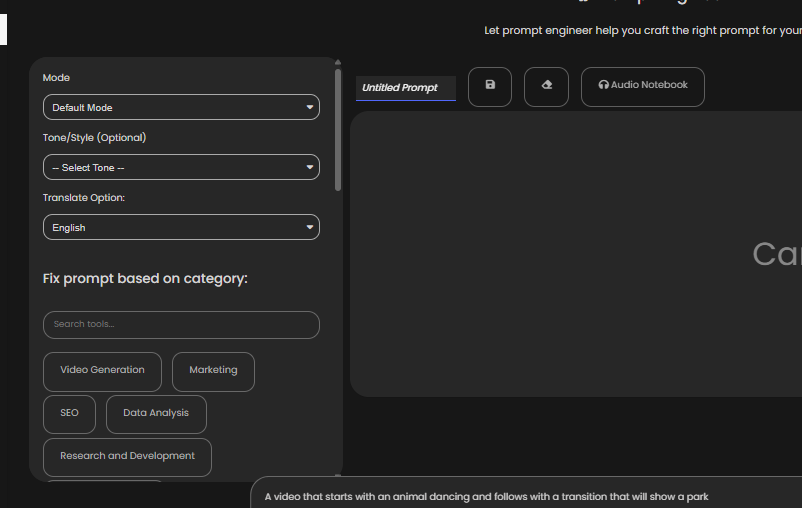
5. Click Send, Edit, and Refine (Finalizing the Output)
The ChatQuick AI processes your core idea and applies the stylistic constraints from the Tone, Category, and Language selections. It rapidly generates a highly detailed, optimized video prompt, often spanning multiple sentences and including complex technical parameters and descriptive language.
The generated output is your new starting point. This is where the human touch comes in. You can then edit and refine this comprehensive prompt within the same window. Look for specific elements to adjust:
- Camera Angles: Did the AI suggest a “low angle shot,” but you want a “bird’s eye view”? Change it.
- Specific Colors: If the AI said “vibrant colors,” but you need a specific brand identity, change it to “teal, gold, and white color scheme.”
- Duration/Speed: Add a note like “4 seconds in length” or “motion is slow and ethereal.”
Once satisfied, copy the final text to use in any third-party AI video generation tool. The quality difference will be immediately apparent.
Benefits of Using AI for Video Prompt Generation
Leveraging ChatQuick’s Prompt Engineer feature offers strategic and creative advantages that streamline your content creation process:
1. Significant Time Savings
Drafting an optimized prompt from scratch requires knowing the technical vocabulary the AI models are trained on (e.g., octane render, depth of field, Unreal Engine).
ChatQuick eliminates the struggle of prompt engineering by quickly assembling these complex, effective phrases, allowing you to focus purely on the creative concept rather than technical execution. What used to take 20 minutes of trial-and-error now takes 20 seconds.
2. Dramatic Quality Improvement
The Prompt Engineer incorporates best practices and technical keywords often missed by human users. By automatically suggesting and including terms for advanced lighting, rendering engines, and cinematic composition, the generated prompts result in higher-fidelity, more detailed, and visually richer video outputs that look polished and professional.
3. Enhanced Consistency Across Projects
By formalizing the prompt structure through defined Tone and Category selections, the tool helps you maintain a consistent visual language across multiple video projects, which is vital for brand identity and series production. ‘You can trust that selecting the “Corporate” tone will always yield keywords that promote a sleek, cohesive look.
4. Boosted Creative Exploration
The generated prompts often suggest technical or stylistic elements that you may not have considered initially (e.g., a specific film grain or lens distortion). This functionality provides professional prompts that can inspire new creative directions or interpretations of your original idea, pushing the boundaries of what you thought was possible.
Conclusion
The ChatQuick Prompt Engineer tool is designed to be your essential first step in the modern video creation workflow. It removes the friction and complexity from prompt generation, ensuring your AI video tool always receives the precise, high-quality instructions it needs to succeed.
By structuring your creativity, ChatQuick ensures that every second of AI-generated video is optimized for impact and visual excellence. Give it a try, and transform your initial concepts into perfectly executable, professional video prompts today!
