
Productivity Prompt for ChatGPT: How to & Example
ChatGPT allows you to plug in prompts to get the exact results you want.
Productivity, however, is something many people struggle with.
That’s why we’ve created a Productivity Prompt for ChatGPT — designed to help you get practical tips, proven hacks, and personalized strategies to boost your productivity and make every day more efficient.
What is a Productivity Prompt?
A productivity prompt is a carefully crafted question or instruction you can input into AI tools like ChatGPT, Wordwriter, or any other AI writing assistant. It guides the AI to generate tailored advice, routines, and action steps that help you work smarter and stay consistent.
Why Use a Productivity Prompt?
✅ Get personalized productivity tips and hacks.
✅ Discover time-saving systems that actually fit your workflow.
✅ Overcome procrastination and mental fatigue.
✅ Stay organized, focused, and more intentional every day.
Pro tip: Looking to Generate Productivity Prompt for different scenarios? Try out our Productivity Prompt Generator
Productivity Prompt Examples
List all tasks you need to complete today. Prioritize these tasks using the Eisenhower Matrix (Urgent/Important). Break down the top 3 most important tasks into smaller, actionable steps. Estimate the time needed for each step. Schedule these steps into your day, allocating realistic time blocks. After completing a step, check it off your list. Reflect on your progress at the end of the day, noting what worked well and areas for improvement in your time management for tomorrow.
How to Generate Productivity Prompt for ChatGPT
Getting started is pretty straightforward. Here’s what you need to do:
Step 1: Head to the ChatQuick Website

First, navigate to the ChatQuick website where you can either log in if you already have an account, or try it for free if you’re new.
Step 2: Access the AI Library
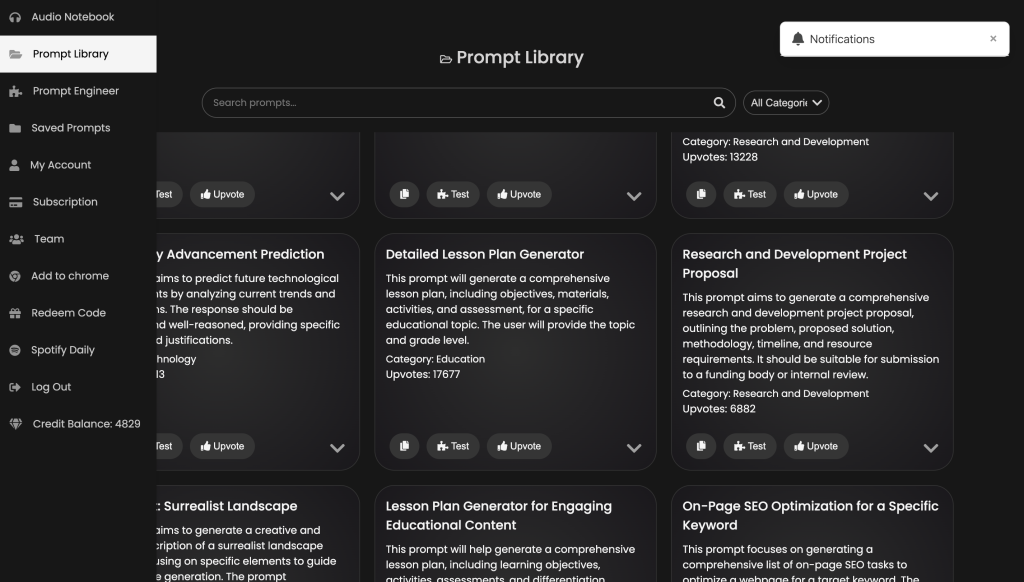
At the top right corner, click on the AI Library tab to explore a collection of ready-to-use AI templates.
Step 3: Search for the Productivity Prompt Tool
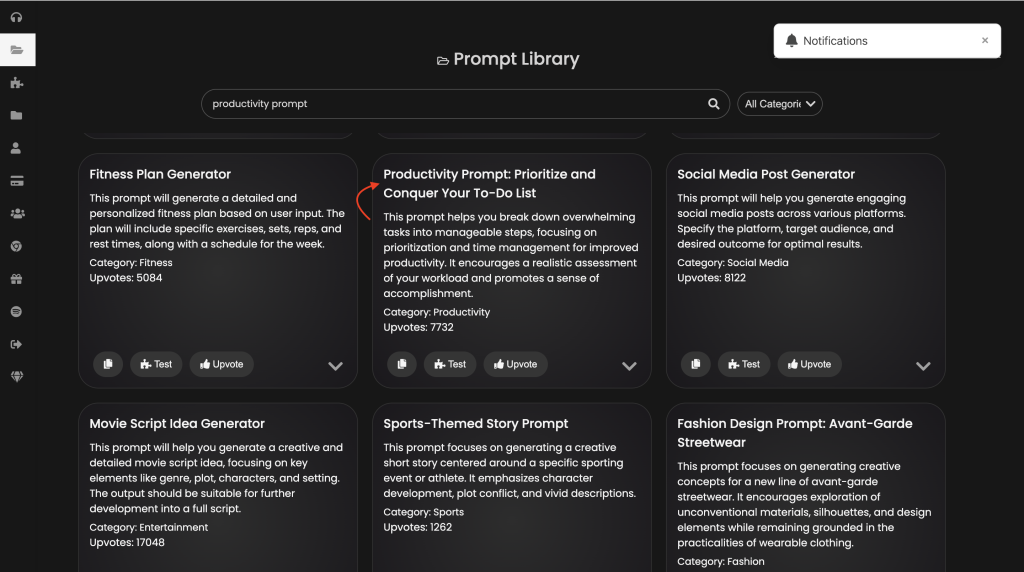
Use the search bar to find the Productivity Prompt Tool.
Step 4: Copy and Use the Prompt
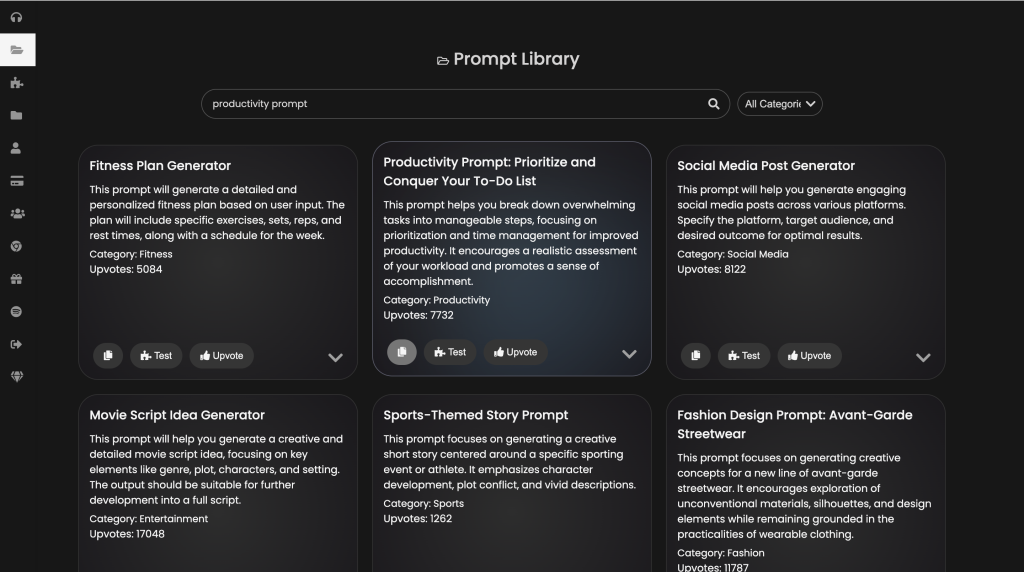
Once you find it, copy the prebuilt productivity prompt and use it on any AI tool (like ChatGPT) to generate actionable productivity tips and strategies.
Step 5: Generate Custom Prompts
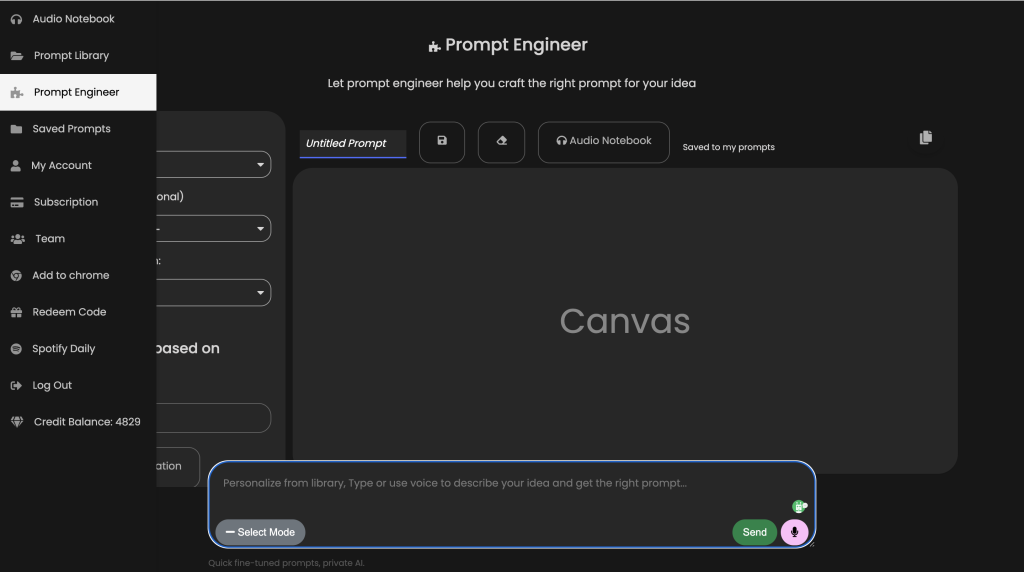
To create personalized prompts, go to the Prompt Engineer section.
Use the chat to request a specific prompt, clearly indicating your goal or scenario for more accurate and tailored results.
Conclusion
Boosting productivity starts with asking the right questions and that’s exactly what a good prompt helps you do. By using the Productivity Prompt Tool on ChatQuick, you gain access to well-structured, AI-powered insights that help you plan smarter, focus better, and get more done.
Start exploring today and take your productivity to the next level!
