
AI Prompt for Blog Post Generation
A successful blog post does more than share information; it engages the reader, solves a specific problem, and includes the right keywords to attract traffic from search engines.
If you ask an AI, “Write a blog post about dogs,” you’ll get a shallow, general essay that no one will share. To generate a high-quality, professional blog post that is complete with clear structure, SEO focus, and the correct tone, you must first provide a detailed blueprint.
ChatQuick is the tool that gives you this perfect blueprint, acting as an AI prompt generator so you can get excellent, ready-to-publish content from any AI model. In this article, we will show you the easy, four-step plan to use ChatQuick to create perfect blog posts every time.
Introducing ChatQuick
ChatQuick is not an AI that writes your final content; instead, it is a specialized prompt generator designed to create the perfect instructions for other AI models. Its key feature is its Prompt Library, which is filled with expert-level templates for specific tasks like generating blog posts, creating product descriptions, or planning SEO strategies.
This tool ensures that your prompts always include essential elements like a specific Role (e.g., “Act as a lifestyle blogger”), clear constraints (e.g., word count or reading level), and the necessary SEO structure. By giving the AI a blueprint, ChatQuick guarantees that your output is professional, focused, and immediately useful, saving you time and effort on endless revisions.
Related: AI Prompt Best Practices: Detailed Guide
The Foundation: What Makes a Great Blog Post Prompt?
The quality of your blog post depends entirely on the instructions you give the AI. A perfect prompt must cover four key areas:
- Audience & Goal (Who and Why): Who is reading this, and what action should they take? (e.g., a beginner audience needing to share the post, or experts needing to click a complex link).
- SEO & Keywords (How it Gets Found): The prompt must include the target focus keyword and related terms to ensure the AI naturally builds the post around what people are searching for.
- Structure & Formatting (How it Looks): Blog posts need to be easy to read. The prompt must demand the use of H2 subheadings, bullet points, and a clear introductory paragraph.
- Tone & Readability (How it Sounds): What is the desired voice? (e.g., educational and academic, or simple, fun, and conversational).
ChatQuick organizes all these complex needs into one clear, easy-to-use command.
AI Prompt for blog post generation: The ChatQuick Workflow
Follow this easy, four-step plan to create professional, ready-to-publish blog posts using ChatQuick’s prompt generation power.
Step 1: Log In and Find the Right Blueprint
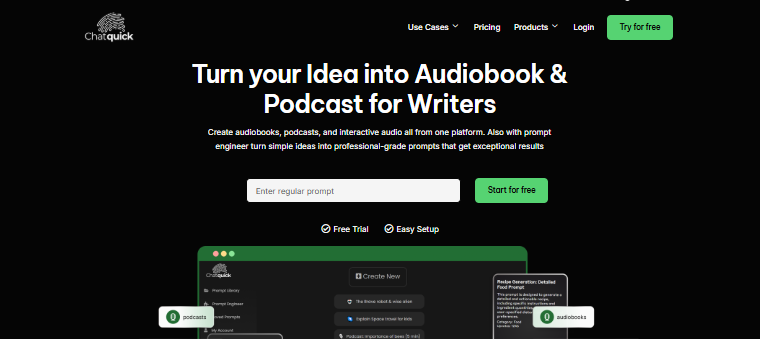
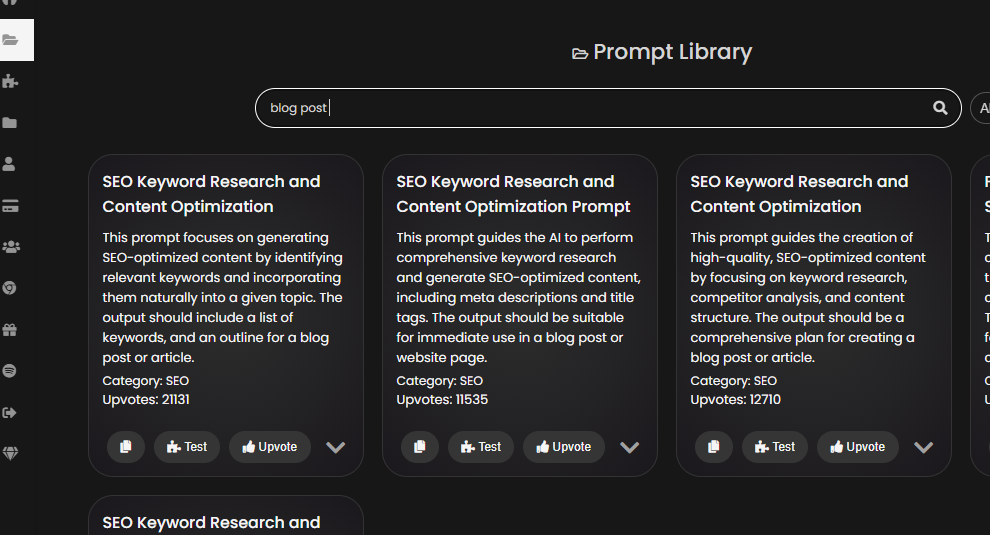
First, go to the ChatQuick website and sign in. Go straight to the Prompt Library (sometimes called the Template Library). Since ChatQuick is made to help you write content fast, you’ll find ready-made plans. Search for “Blog Post Generator”
Step 2: Test and Copy the Master Prompt
Find the special blog post template. Click the “Test” button to load the entire template into your screen. . Copy this whole instruction plan to your clipboard.
Step 3: Change the Template to Fit Your Topic
The copied Master Prompt will have blank spaces you need to fill. Before you use it, you must add your specific topic, target length, primary keyword, and desired tone into those spaces.
Here is an example of a Master Prompt created by ChatQuick, filled in with details for a specific article:
The ChatQuick-Generated Prompt (Ready to Use)
[Role: You are a friendly, encouraging financial advisor writing for beginners. Your tone must be simple and non-judgmental.]

**TASK:** Generate a 1,000-word blog post. The post must include an introduction, a conclusion, and at least four H2 subheadings.

1.  **TOPIC/TITLE:** 5 Easy Steps to Start Investing with Only $100
2.  **TARGET KEYWORD (must use 3 times):** beginner investing tips
3.  **READING LEVEL:** Simple, 8th Grade level (no financial jargon).
4.  **REQUIRED STRUCTURE:** Use numbered lists for the five steps and include an H2 specifically addressing common fears.
Step 4: Run the Prompt in Your AI Tool of Choice
Now, take the exact, structured text created by ChatQuick and paste it into the AI tool you like (like Gemini, ChatGPT, or others). Because the prompt gives the AI a clear job, defines the audience, and specifies the structure, the AI will create a high-quality blog post ready for light editing.
Conclusion
Creating a blog post that genuinely helps your audience and ranks well on Google requires strategic planning. Generative AI is the fastest way to write, but only when given professional-level direction.
By using ChatQuick as your prompt generation tool, you stop getting generic content and make sure every article is structured, targeted, and ready to meet your marketing goals. Stop wasting time with weak prompts; use ChatQuick to design your next powerful blog post today.
