
How to Repurpose Content with AI
Sometimes, even the best written content doesn’t get the attention it deserves. Depending on your audience, you never truly know which post or idea is going to grab their interest until you put it out there.
The reality is that different platforms require different types of content; for example, you cannot use a video for some topics, it just won’t work, and sometimes you need to convert that video into written content to make an impact. This is exactly why you should know how to repurpose content with AI. We will know exactly how to turn one single idea into a multi-platform success in this article.
There are a few more things to consider, like how much time you waste starting from zero every single day. By learning to shift your work into new formats, you save your energy for the creative parts.
In this article, we will be exploring the massive importance of repurposing, four key benefits of doing so, and a step-by-step guide on how to use ChatQuick to make it happen.
Let’s dive in.
The Importance of Repurposing Content
Repurposing your content is one of the smartest moves you can make as a creator or student. It’s not just about repeating yourself; it’s about making sure your message is accessible to everyone, no matter how they prefer to consume information. Here are four key reasons why repurposing is essential:
1. Reaching Different Learning Styles:
Everyone learns differently. Some people are visual learners, while others are auditory. By turning a written article into an audio notebook, you reach those who prefer to listen while they drive, exercise, or do chores.
2. Boosting Your Reach on Multiple Platforms:
What works as a long-form essay on a blog might work better as a “Study Explainer” audio clip for a student community or a podcast-style segment for social media. Repurposing allows your message to live where your audience already spends their time.
3. Saving Time and Energy:
You have already done the hard work of researching and writing. Instead of struggling to find a brand-new topic every day, you can simply refresh an old one and keep your posting schedule consistent without the burnout.
4. Improving SEO and Authority:
The more formats your content exists in, the more likely search engines are to see you as an expert in your field. It builds massive trust with your audience when they see you providing high-value information in different, easy-to-digest ways.
How to Repurpose Content with ChatQuick
If you want to move from text to professional audio without the hassle of recording, ChatQuick is the ultimate tool. It simplifies the process so you can focus on the message rather than the technical side. Here are the two main ways you can use it:
1. Audiobooks
Transform your long-form stories, guides, or books into lifelike narrations. This is perfect for creators who want to offer their audience a hands-free way to enjoy their content. You simply provide your text, and the AI handles the rest, creating a high-quality audio experience in minutes.
2. Study Explainer
For those with dense articles, school notes, or complex documents, the Study Explainer is a lifesaver. It takes your complicated text and converts it into clear, narrated study audio. It makes learning much faster because you can “read” your notes while you are on the go.
How to Repurpose Content with AI – ChatQuick
Getting started is very simple. You don’t need any special technical skills—just follow these easy steps to get your audio content ready:
1. Login to the Platform:
First, visit the ChatQuick website. If you have an account, log in; otherwise, sign up to get started. This will take you directly to your user dashboard.
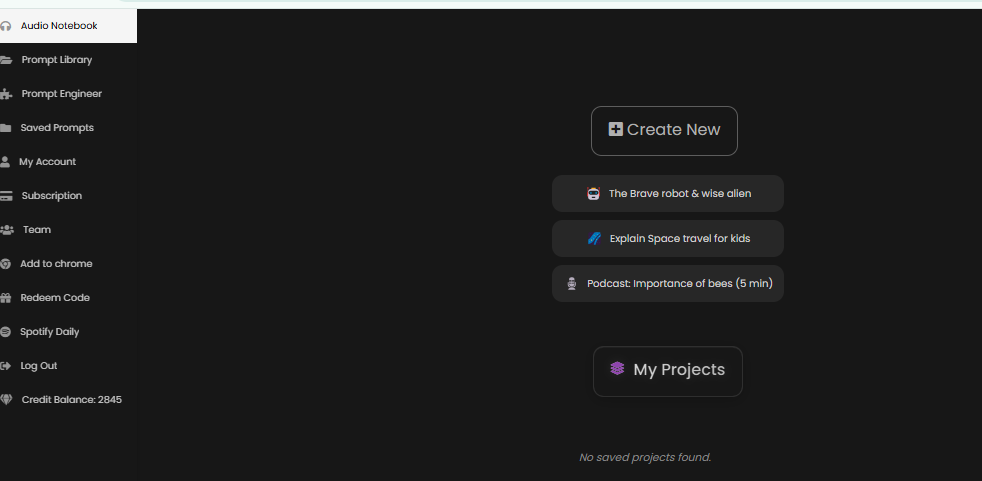
2. Access the Audio Notebook:
On your dashboard, look for the option labelled ‘Audio Notebook’. Click on this to enter the specialised audio creation suite.
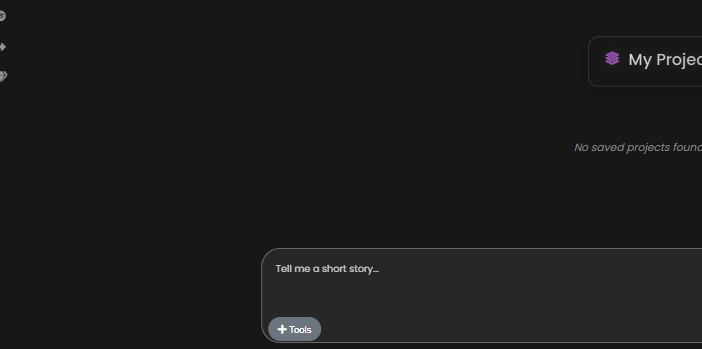
3. Select Your Tool:
Once inside the Audio Notebook section, you will see a Tool button. Click on it to pick exactly what you want to do. Here, you can choose between creating an audiobook or using the Study Explainer.
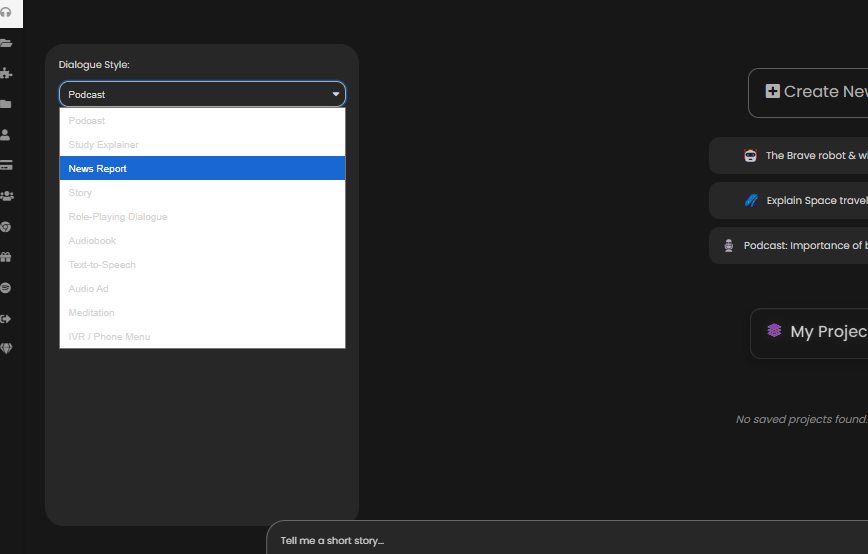
4. Choose Your Conversion Type:
If you are starting with a podcast script or a long article, select what you want to convert it to.
5. Enter Your Prompt and Send:
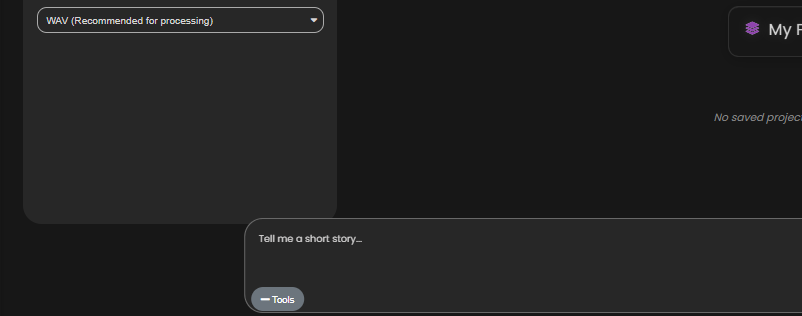
There will be a space for you to enter your prompt or paste your text. Once you are ready, press Send.
6. Generate and Download:
In just a few minutes, ChatQuick will generate your high-quality audio. You can then listen to it, save it, or share it with your audience immediately.
Conclusion
Repurposing your content is the best way to ensure your hard work doesn’t go to waste. ChatQuick is very effective because it takes the stress out of the “technical” side of things, allowing you to turn one piece of writing into a professional audio masterpiece.
Whether you are a student trying to study better or a creator looking to grow your brand, this tool gives you the power to be heard on every platform and ensures your ideas reach the right people in the right format.
