
Prompt for professional photo: Image Generation Prompt

Every professional photograph begins with a vision, but when translating that vision into a prompt for professional photo, simple descriptive language often falls short. To generate images suitable for commercial use, editorial features, or fine art display, the prompt must speak the language of professional photography: lighting, composition, lens choice, and rendering style.
The blank canvas of the prompt box can be intimidating, but a powerful image requires a powerful blueprint. The ChatQuick Prompt Engineer is designed to be the bridge between your basic concept and a technically perfect, aesthetically sophisticated prompt. It transforms your simple idea into a detailed, studio-ready instruction, ensuring every image you generate is of the highest professional quality, eliminating hours of trial-and-error. In this article, we will explore the complete guide to mastering the ChatQuick Prompt Engineer.
Basic Components of Prompt for professional photo
An AI prompt for professional photography is a complex instruction set that goes far beyond merely describing the subject. It is a detailed manifesto for the camera, the studio, and the darkroom, instructing the AI model on how to construct light and shadow, and how to compose the frame. The fidelity of your final image depends entirely on the technical rigor of this instruction.
A highly effective photo prompt must include, at minimum, these critical components:
- Subject and Context: The main focus of the image and its immediate surroundings. (e.g., “A modern architect examining blueprints.”)
- Style and Medium: Defining the visual language, such as photorealism, digital art, or emulation of film stock. (e.g., “Shot on 35mm film, grainy texture, high-contrast black and white.”)
- Composition and Framing: Specifying the camera’s relationship to the subject. (e.g., close-up portrait, wide-angle establishing shot, symmetrical composition, rule of thirds.)
- Lighting and Atmosphere: The most crucial element. Dictating the type, direction, and intensity of light. (e.g., dramatic studio lighting, soft natural light, volumetric fog, rim lighting.)
- Technical Parameters: Instructions regarding resolution, lens choices, and depth of field. (e.g., 8K resolution, f/1.8 aperture, cinematic bokeh, telephoto lens.)
The ChatQuick Prompt Engineer’s role is to automatically structure and populate these technical terms based on your simple selections, ensuring your generated prompt is ready for immediate professional use.
How to Generate a Prompt with ChatQuick: A Step-by-Step Workflow
The ChatQuick platform streamlines the process of crafting these complex photo prompts through a powerful five-step, guided workflow designed for maximum efficiency and professional outcome.
1. Login to ChatQuick
Log in using your credentials on the ChatQuick platform.

2. Navigate to Prompt Engineer
Locate and click the “Prompt Engineer” tool, typically highlighted on the main dashboard or within the creative suite navigation.
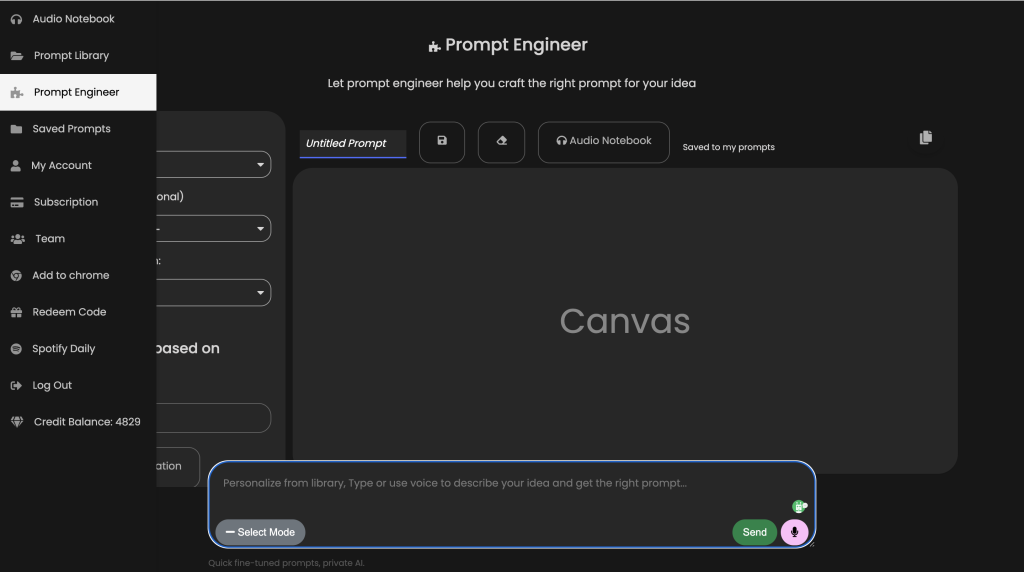
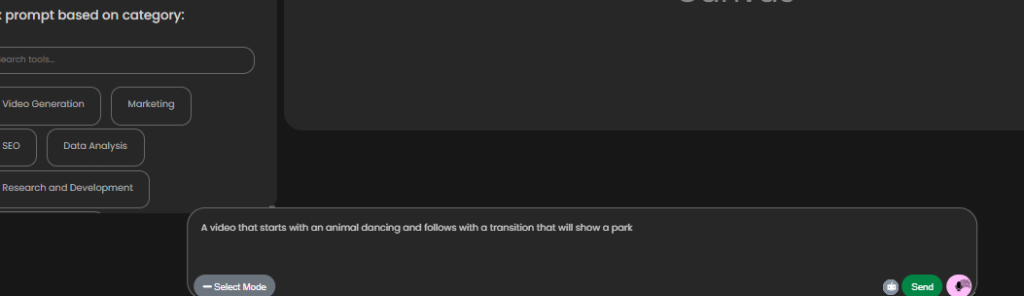
3. Enter Your Prompt Details (The Core Idea)
Input your core vision into the primary text area. This is the most crucial step where you describe the subject, location, and main action of the image. Be clear, but don’t worry about technical jargon yet—that’s the AI’s job.
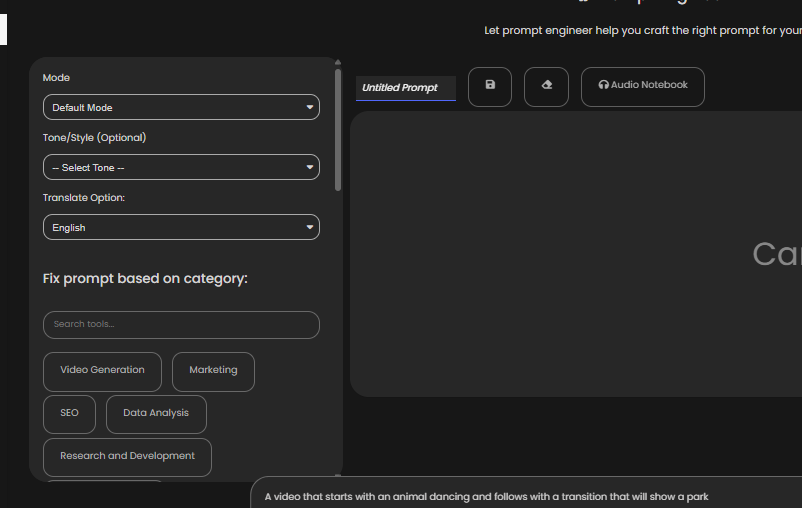
4. Select Mode for Style, Category, and Language (The Refinement Layers)
Once your core idea is entered, use the structured dropdown menus to refine the necessary technical and aesthetic constraints. These layers transform the basic description into a professional photography brief.
5. Click Send, Edit, and Refine (Finalizing the Output)
Click “Send”. The ChatQuick AI instantly generates a comprehensive prompt, weaving together your core idea with the selected technical and aesthetic constraints. This final text is significantly longer and more detailed than your initial input.
Review and Refinement: The generated prompt text is now ready for its final human audit. You can now edit and refine specific elements.
Once you are completely satisfied with the level of technical detail, copy the final prompt and paste it directly into your preferred AI image generator. The result will be a photograph that aligns perfectly with a professional standard.
Benefits of Using AI for Photo Prompt Generation
Leveraging ChatQuick’s Prompt Engineer feature for photography offers indispensable benefits that elevate your visual content:
1. Guarantee of Technical Accuracy
The most significant benefit is the automatic injection of precise technical photography terms. The AI ensures that essential details like depth of field (f/1.4), shutter speed (1/200s), and sensor size are correctly articulated, which are parameters crucial for photorealistic and stylistic consistency in modern AI models. This prevents the generation of flat, poorly lit, or compositionally weak images.
2. Reduced Iteration Time
Manually crafting a perfect prompt often takes dozens of tries, with minor adjustments like changing ‘bright light’ to ‘studio strobe lighting.’ ChatQuick gets you 90% of the way there immediately. By providing a technically sound starting point, it dramatically reduces the time spent on trial-and-error, making the content pipeline significantly faster.
3. Aesthetic Consistency for Branding
For large-scale projects or brand content, maintaining a consistent visual aesthetic is paramount. By standardizing the use of Style and Category inputs, the Prompt Engineer allows you to generate images that adhere to a uniform look—be it the color palette, the lighting setup, or the level of realism—across hundreds of generated shots.
4. Optimized for High-Resolution Output
The tool is trained to include keywords that optimize the prompt for the highest possible resolution and rendering quality, such as hyperdetailed, 8K, and references to advanced rendering engines. This ensures that the resulting images are crisp, detailed, and scalable for large format or commercial print applications.
Conclusion
The ChatQuick Prompt Engineer is your ultimate tool for achieving photographic excellence using AI. It acts as an expert ghostwriter, translating your artistic instinct into the precise technical language required by generative models.
By relying on its structured workflow, you move past basic descriptions and begin commanding the AI to create gallery-quality, commercially viable, and aesthetically compelling images every single time.
Start transforming your creative ideas into perfectly executed professional photographs today!
